
The holiday season is when most small and midsize businesses are focused on finishing projects, closing out the year, and serving customers. At the same time, your team is juggling travel plans, family commitments, and holiday shopping—often from the same devices and inboxes they use for work.
That mix is exactly what cybercriminals wait for. During November and December, scams, phishing emails, and account takeover attempts spike as attackers take advantage of distracted staff and overloaded systems. For small and midsize businesses (SMBs) that don’t have a full-time security team, a single click on the wrong link can quickly escalate into a business-halting incident.
At Kateva, we see this pattern every year: organizations invest in tools and technology, but the real pressure point is almost always people. Many leaders respond to rising risks by buying more antivirus, more filters, and more software. Those matter—but most successful attacks still start with a person, not a piece of code. Your true security perimeter is your people, and the holidays are when that perimeter is under the most pressure.
Make this holiday season safer for your business with Kateva!
The Hidden Risk Employees Using Work Email for Holiday Shopping
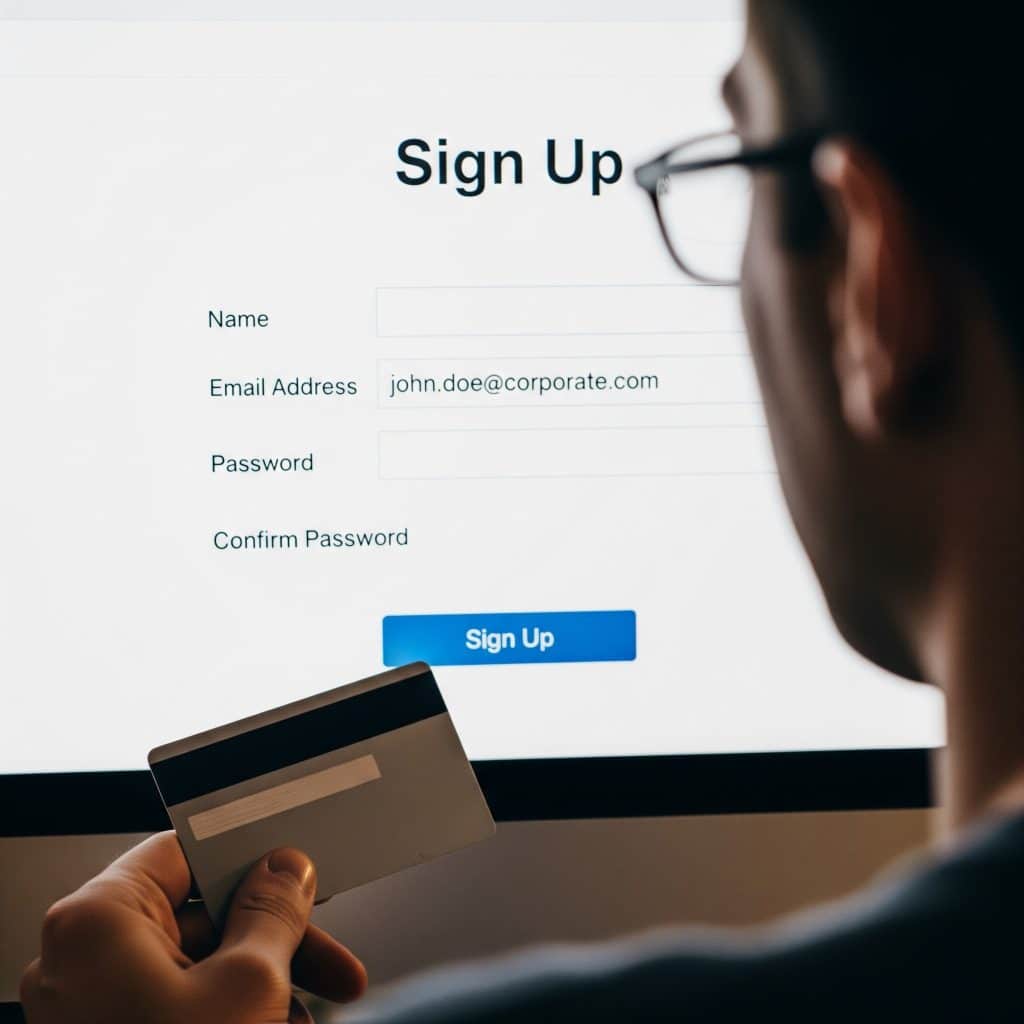
If you’re like most organizations, your written policies say one thing, and real life says another. Even when you tell people not to, many employees will still sign up for holiday shopping accounts using their company email address. It’s convenient, it keeps all their confirmations in one inbox, and it doesn’t feel risky in the moment.
From an attacker’s perspective, that’s a gift.
A typical path from “harmless” holiday shopping to a serious breach usually looks like this: An employee uses their work address to register on a shopping site, a charity page, or a giveaway form. They choose a password they’ve used elsewhere—or a close variation of it—because it’s easy to remember. At some point, that retailer or service is compromised and a database of email addresses and passwords is leaked or sold. Attackers then test those credentials across common business services such as email, cloud applications, and remote access portals, or they craft highly convincing phishing emails disguised as order or shipping updates. The employee receives one of these messages in their work inbox, clicks a link, or enters credentials on a fake login page. The attacker now has access to your business systems, not just that shopping account.
Nothing in that chain requires “hacking” in the traditional sense. It’s simply taking advantage of human habits and the fact that work and personal life blur together even more during the holidays. Many of the incidents Kateva responds to start with that kind of small, understandable shortcut.
How to help avoid the risk:
You don’t need to lock everything down to the point of frustration to reduce this risk. Start by clearly telling staff that work email addresses should not be used for retail accounts, loyalty programs, or deliveries, and explain why. Encourage them to use a personal email instead. Support this with a company-provided password manager so it’s easy to create strong, unique passwords rather than recycling the same few. Remind everyone that order updates and shipping notices belong in personal inboxes; if something like that lands in a work mailbox, they should treat it with extra suspicion. Most importantly, make it easy to ask for help—if someone is not sure whether something is safe, there should be a simple way to forward it to IT or a trusted partner such as Kateva for a quick opinion.
These are simple changes, but they dramatically reduce the number of doors an attacker can quietly jiggle during the holidays.
Three Holiday Cyber Threats Every SMB Should Expect
Your team using work accounts for holiday shopping is one big risk, but it isn’t the only one. Around the holidays, attackers lean hard on a few specific tactics that work especially well on busy, distracted staff. The patterns below come up repeatedly in the cases we see at Kateva.
1. Holiday-themed phishing and gift card scams
Attackers know your people want to be helpful—especially when they think a request is coming from a leader. One of the most common holiday scams is a simple one: an email that looks like it’s from your CEO, owner, or manager asking someone to buy gift cards “as a surprise for the team” or to donate quickly to a seasonal charity.
These messages often use a display name that matches your executive but a different underlying email address. They lean heavily on secrecy and urgency: they might say not to tell anyone because it’s a surprise, and they usually demand action within minutes. They target finance or HR most often, but frontline staff are not immune. Anyone who wants to help and doesn’t pause to double-check can be pulled into the scam.
If the attacker persuades someone to purchase gift cards and send the codes, that money is effectively gone. In more advanced cases, they will keep the conversation going, pushing for changes to payment details or authorizing larger transfers.
You can reduce the impact of these scams by setting a firm, company-wide rule that no one will ever be asked to buy gift cards or change payment information based only on an email or text. Teach staff to verify any money-related request using a known phone number or in-person conversation, not by replying to the message itself. Encourage people to check the full email address, not just the name displayed—especially on mobile devices, where it’s easy to miss small details. A short training session or internal memo from leadership, supported by your IT or a security team like Kateva, can go a long way.
2. Fake shipping notices and invoice fraud
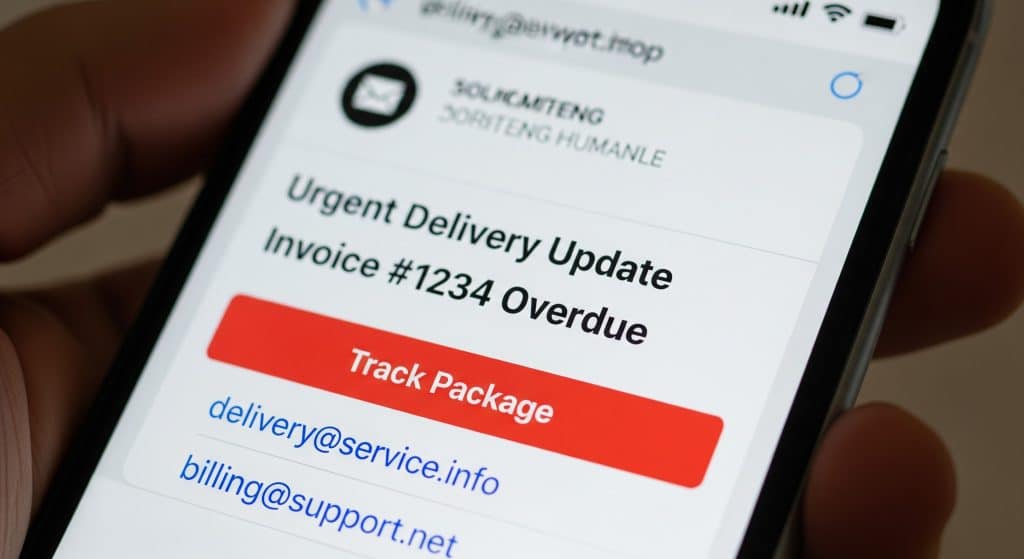
During November and December, inboxes fill up with messages promising delivery updates, package tracking details, and invoices. Attackers know this and send emails that blend into that noise. A message that looks close enough to the genuine stream of shipping and billing notices may not get the scrutiny it deserves.
Fake shipping notifications often contain links that go to credential-harvesting sites. A user clicks “Track Package,” sees a login prompt that looks familiar enough, and enters corporate credentials. Fake “missed delivery” messages might coax people into entering payment details to reschedule a shipment. In parallel, invoice fraud is increasing: a message appears to come from a known vendor, but the attached invoice quietly directs payments to a different bank account or links to a fraudulent payment portal.
For small and midsize businesses, this is particularly dangerous in finance and operations teams that are racing to close the year and manage a higher-than-normal volume of payments. People feel pressure to keep things moving and may not stop to question a slightly unusual request.
To mitigate this, standardize how your business receives and pays invoices so people don’t have to improvise under pressure. If bank details or payment instructions change, require a second check—a phone call using a verified number or a confirmation through a known contact—before any money moves. Encourage your team to hover over links or preview URLs before clicking, and to slow down on any email that mentions refunds, payment problems, or urgent shipping issues. These are small habits, but when Kateva works with clients to reinforce them, we see a significant drop in successful invoice and shipping scams.
3. Remote work, travel, and after-hours gaps
The holidays are full of unusual work patterns. People check email from family homes, airport lounges, hotels, and coffee shops. Skeleton crews handle support or operations. Your internal IT or security resource might be a single person who is also taking vacation time.
These conditions create opportunities that attackers understand well. Risks increase when staff connect from unsecured Wi‑Fi networks without a VPN. Laptops and phones that are carried through airports or crowded events can be left unattended or even lost. Meanwhile, systems may generate security alerts overnight, on weekends, or during company closures when no one is actively watching.
Problems that would normally be caught and contained quickly can turn into serious incidents simply because they sit unnoticed for hours or days. In more than one case, organizations have only discovered a compromise when they returned from a holiday break and then reached out to Kateva for help. By the time we were called in, the attacker had already enjoyed days of access, but we were able to contain the breach, investigate what happened, and help the business implement stronger monitoring and response measures to prevent the same type of incident from happening again.
Don’t let time become the enemy
Preparation helps here. Require full-disk encryption and automatic screen locks on all company laptops and mobile devices. Make VPN usage the norm for remote access to internal systems and cloud management portals. Confirm who is watching for critical alerts in the evenings, on weekends, and over major holidays, and verify that those alerts actually reach someone empowered to act. If you partner with a provider like Kateva, this is often part of a managed service; if you rely on internal staff, make sure responsibilities and handoffs are crystal clear before everyone disappears for vacation.
Close your after-hours security gaps with Kateva before the next holiday break!
Holiday Cyber Essentials for Small and Midsize Businesses
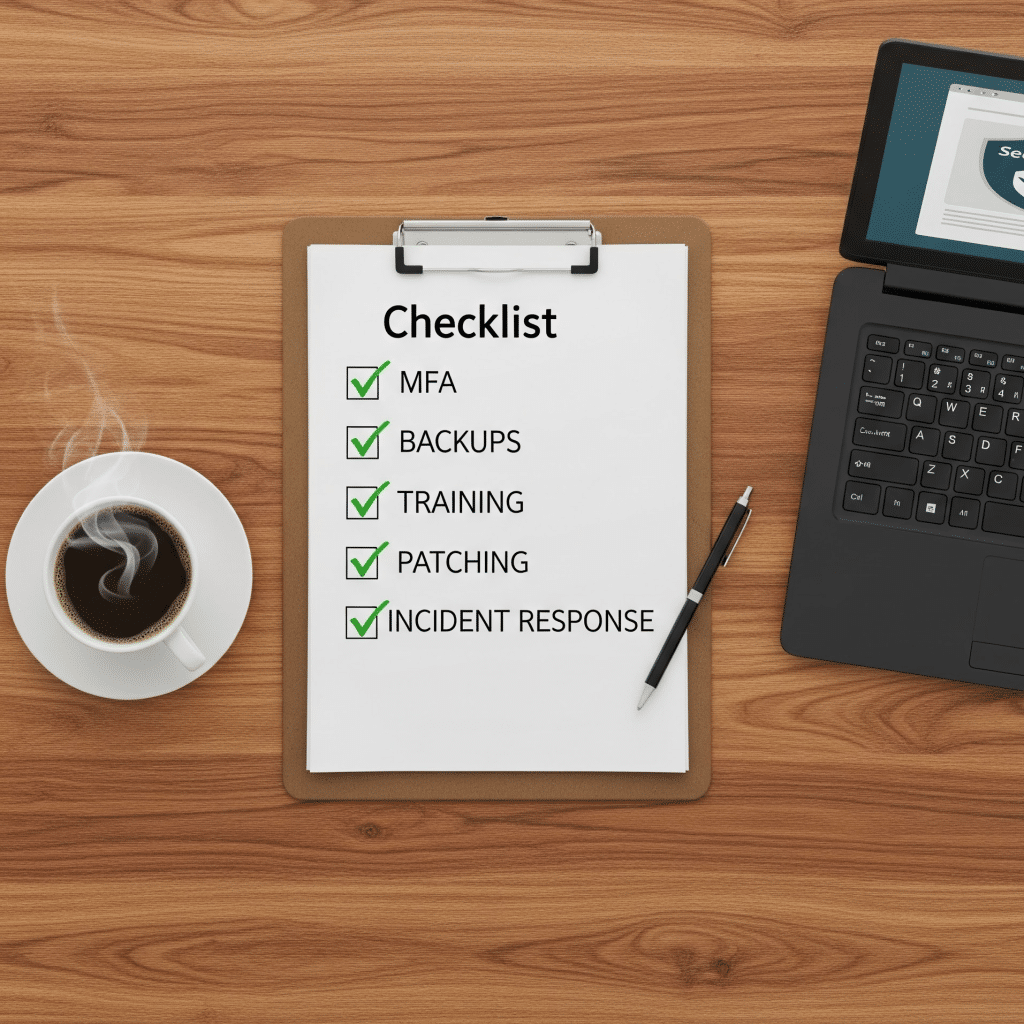
You don’t have to rebuild your entire security program before the holidays. Focus on a short list of actions that reduce the most common risks fast. Here’s a practical checklist you can work through with your leadership, your internal IT team, or a security partner such as Kateva.
Quick Holiday Security Checklist
- Clarify what’s okay—and not okay—on work devices and accounts.
Update or restate your acceptable use guidelines in plain language. Make it clear whether personal shopping on work devices is allowed and be very clear that work email addresses should not be used for retail accounts. - Send a one-page “holiday scams to watch for” briefing.
You don’t need a full-blown training program; a straightforward internal message with a handful of real examples (gift card scams, fake shipping notices, suspicious login alerts) keeps security top of mind without overwhelming people. - Turn on multi-factor authentication (MFA) everywhere you can.
MFA stops many attacks cold, especially when credentials are stolen from breached shopping sites. Make sure it’s in place for email, remote access, financial systems, and any tool that would hurt if someone got in. - Tighten email and web protections.
Review your spam filtering, phishing protection, and web filtering settings. If you work with Kateva or another provider, ask them to tune rules for holiday-themed scams and consider more aggressive blocking of known malicious domains during the season. - Check your backups and recovery plan.
Confirm that critical systems and data are being backed up, that backups are not directly exposed to the network, and that you’ve actually tested restoring something recently. A backup you haven’t tested is a backup you can’t trust. - Document a simple incident response playbook.
Write down what staff should do if they click something suspicious, lose a device, or see signs of a compromise. Include who they call first, how to disconnect from the network, and what not to do—such as trying to quietly fix it without telling anyone. - Confirm who owns security decisions during the holidays.
Decide upfront who has authority to shut down an account, block a vendor, or take a system offline if something looks wrong. In a real incident, delays while people look for approval can be more damaging than the attack itself. - Schedule a quick post-holiday review.
Put time on the calendar in January to look back at any alerts, near-misses, or incidents from the season. Use that review to improve your policies, training, and technology for next year. A partner like Kateva can help turn that review into a concrete security roadmap rather than a one-time discussion.
Even if you can’t do everything on this list, doing something now is far better than trying to build a plan in the middle of a crisis.
Why Having a Security Partner in Place Before an Incident Matters
When something does go wrong, time is everything. The first hour after a successful phishing click or account compromise is when you have the best chance of containing the damage.
For many SMBs, the reality is that “security” is a shared side responsibility: part-time IT, an operations manager who “knows tech,” or whoever is most comfortable with computers. Those people are valuable, but expecting them to diagnose and remediate a live attack on their own—especially during the holidays—is a lot to ask.
Having a dedicated security partner already in place changes the equation. Instead of trying to find help mid-incident, you have experts who already understand how your business runs. They know your environment, your systems, and your key people before anything happens, so they don’t lose time figuring out the basics. Your partner can move quickly to isolate affected accounts or devices, collect evidence, and start cleanup. They help you communicate clearly with staff, customers, and vendors while keeping regulatory or legal obligations in mind. Most importantly, they can turn lessons from an incident into long-term improvements instead of one-off fixes.
At Kateva, this is the type of relationship we aim to build: not just responding when something breaks, but standing alongside your team year-round. That means helping you prevent incidents with better policies and training, reacting fast when something slips through, and hardening your defenses so the same problem doesn’t happen twice. Whether you partner with Kateva or another provider, the critical point is to have that capability lined up before an attacker forces the issue.
Your Next Steps Before the Holidays Hit
If you’re not sure where to start, pick three actions you can put in motion this week:
- Ask your team not to use work email for holiday shopping and explain the reasoning behind that change.
- Send a short internal alert outlining the holiday scams you most want people to watch for this year.
- Confirm who your go-to security resource is—internally or externally—and how to reach them quickly if something feels off.
From there, you can build out training, technology, and processes at a sustainable pace. The goal isn’t to make the holidays stressful; it’s to give you confidence that if something does go wrong, your business isn’t starting from zero.
With a prepared team, a clear plan, and a trusted partner like Kateva in your corner, you can focus on growing your business and enjoying the season—not fighting fires in your inbox.